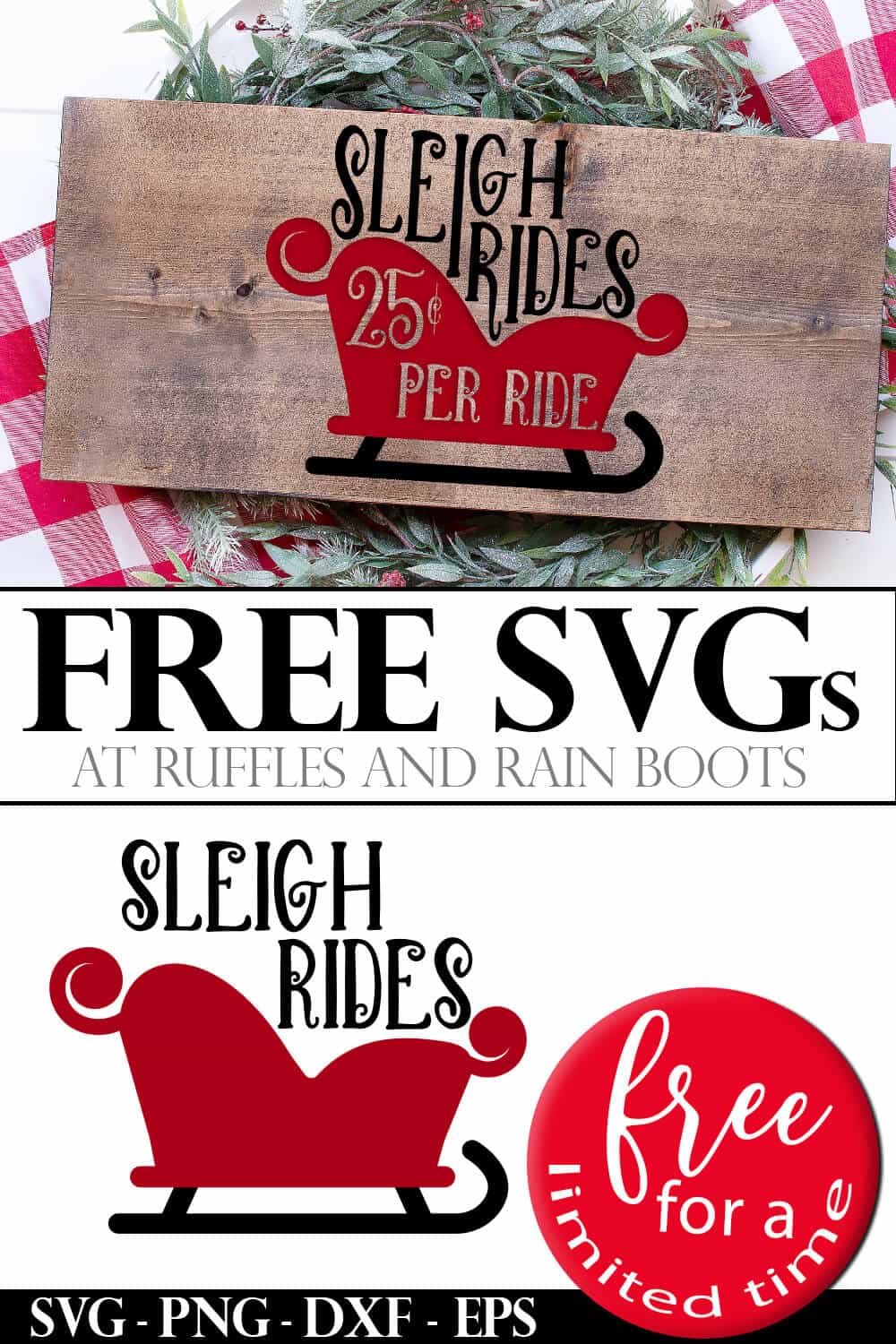
Get This Sleigh Ride SVG for Christmas Crafts and Decor
This Sleigh Ride SVG for Christmas is SO PERFECT. It’s easy to weed and will make the most adorable farmhouse Christmas crafts and decor. I am excited to put this sign in my entryway this holiday season.

What You'll Find On This Page
Free Sleigh Ride SVG for Christmas Crafting
Here at Ruffles and Rain Boots, I love sharing free SVG files with you. I’ve shared a lot of free Christmas SVG files already (see all of our Christmas SVG files and projects), but I wanted to do something special.
As a thank you to all the Ruffles and Rain Boots newsletter subscribers, I am offering full-priced SVGs for free!
And this sleigh ride cut file has three different variations, so if you’re all about the sleigh, but not the ride, you can just pick that cut file for Cricut or Silhouette. It’s a trio of fun sleighing options!

As an Amazon Associate, I can earn from qualifying purchases. There could be affiliate links within this article.
Ways to Use This Free Sleighing SVG
- Cricut, Silhouette, and cutting project accessories I use and love.
- Unzip the folder and select the file for your program. I included SVG EPS PNG and DXF in this set.
- Size the file to fit on the item you’re planning to put the design on and get to crafting.
- If you’re using heat transfer vinyl (HTV) with this free file, don’t forget to mirror the image.
- Ok. So, I know that I often use an iron in my HTV Cricut projects, but, I’ve learned recently that the Cricut EasyPress (just the mini one, because I don’t feel like I need the big one yet) is SUPER superior to an iron.
- You should absolutely make a sign with this cute sleighing SVG set. It is so adorable on a square frame and I put my sledding sign cut file on a farmhouse canvas pillow cover to put in my living room.
Please Share This Cut File
I love sharing my designs and would very much appreciate it if you took the time to share this to Facebook or save it to a crafty pin board.

How to Get These Free Cut Files for Christmas
Because this is a special appreciation gift for newsletter subscribers, if you want these Christmas cut files free, you need to subscribe or you can add them to your cart here and purchase them now. You can sign up in the box below and your first freebie will be on its way along with a coupon code.
Each day, you will receive an email from me with the free Christmas SVG cut files and a gift idea (sometimes another free SVG!). There will be a special coupon for you to download and use if you want the file.
If you are a subscriber, click here to add this item to your cart. Upon checkout, paste the coupon code provided in your email into the coupon box to get the item for free.
Included in the 12 Days of Free Christmas SVG Series
- Day 1: Sleigh Ride SVG Set
- Day 2: Elf Squad Cut File Collection
- Day 3: Christmas Calories Don’t Count + Candy
- Day 4: Elf Family SVG Set
- Day 5: Vintage Hipster Christmas Cut Files
- Day 6: Trio of Gnomes SVG Files
- Day 7: Most Wonderful Time Tree SVG
- Day 8: Scandinavian Dala Horse Cut Files
- Day 9: Reindeer Song in Sleigh Collection
- Day 10: Snowball Champion SVG
- Day 11: Silent Night Scene Cut Files
- Day 12: Polar Bear Mandalas
Add This SVG to Your Cart
Click the button to add the SVG set to your cart. Use the subscriber code to get it for free.
Thanks for Sharing!

I see you in the system and there are some clicks happening from emails. Are you saying you just didn’t get day one of the series? I can send you the link and coupon code.
Please scroll to the gray box about half way down the page and which runs the width of the content. It’s titled, “Add This SVG to Your Cart.” If you are a subscriber, you can enter the coupon code to the get the file free. If not, you can checkout immediately. I hope this helps.
thank you!
SO PRETTY AND I LOVE IT. THANKS
So pretty and I love it.THANKS
These Christmas Cut Files are the cutest things ever! Keep up your fantastic work.
looks like a lot of fun!
I just love your blog and all the free SVG’s you share. I always look forward to your Christmas ones and all the cute ways to use them. Keep up the awesome job!!!!!
Aw, thank you so much, Darlene. I’ve made about 30 more holiday ones so far and hope to be sharing them soon.
I am subscribed to the newsletter and got the email but can’t see where I download the SVG file let alone the code. Please help!
Leslie, In the 12 days of Christmas day 1 email, it will have a section called “Day 1 Collection + Coupon Code” that has the link to the site (where you are now) and the coupon code right below that link. Copy that coupon code.
Once you click the link, see the collection, and decide you DO want the free files, scroll down to the section called, “How to Get These Free Cut Files for Christmas.” Click on the link that says, “Click here for today’s free holiday SVG” and add it to your cart. Paste in the coupon code and checkout. The file will be both there on the screen for download and will also be sent to your email.
I do not have either machine. Can this file be downloaded so I can trace it? Don’t know how else to do this.
Sam, You may definitely use these as clip art for tracing. You would first download the file and open the PNG type in any processor application (Microsoft Word, MS Paint, Apple Pages, PowerPoint, Keynote). Next, you would size it to fit your project. Finally, trace it and color or paint.
I hope that helps!
I downloaded, but am unsure how to use it to maake an ornament. It would allow me to just cut, only print and cut. Any helpful tips?
Naomi, I’m not sure how long you’ve been using the software but from your description, it sounds like you uploaded the wrong file type. Once the files are unzipped, the SVG is best. That allows scaling up or down and works in Cricut Design Space or Silhouette Designer Edition.
To make an ornament, load the mat with one of the color vinyls you’re using (you just need permanent vinyl). First, you would hide one color, attach the one still showing, and send it to cut. Once that is cut, you hit “undo” twice, hide the color you just cut and show the other one. Attach that and then send it to the cutting machine to cut that one. Repeat for other colors, if using.
At that point, you can transfer both colors’ cuts to a single piece of transfer tape (you build the picture on a piece of tape) or add each one separately to the ornament.
The only tip I’ll give you with sizing is that, if this is new to you, start a bit smaller especially if you’re using a round ornament. The designs have to be worked well with those when they cover the entire front. I hope that helps – I’m on my phone, so excuse any typos. :) -Sarah
Thank you! This is so cute! Luv it! It downloaded great, no problems!
I’m so glad you like it, Natasha, because I really did have fun making them. And thank you for letting me know there were no tech bugs. :)
Stay tuned – there are so many more new designs to come in this series.